Mohamed Imran
🤝 Onboarding Black Hole” with Salesforce Flow Orchestrator & Experience Cloud
Role: Senior Salesforce Administrator | Stack: Flow Orchestrator, Experience Cloud, Screen Flows
📌 Project Objective
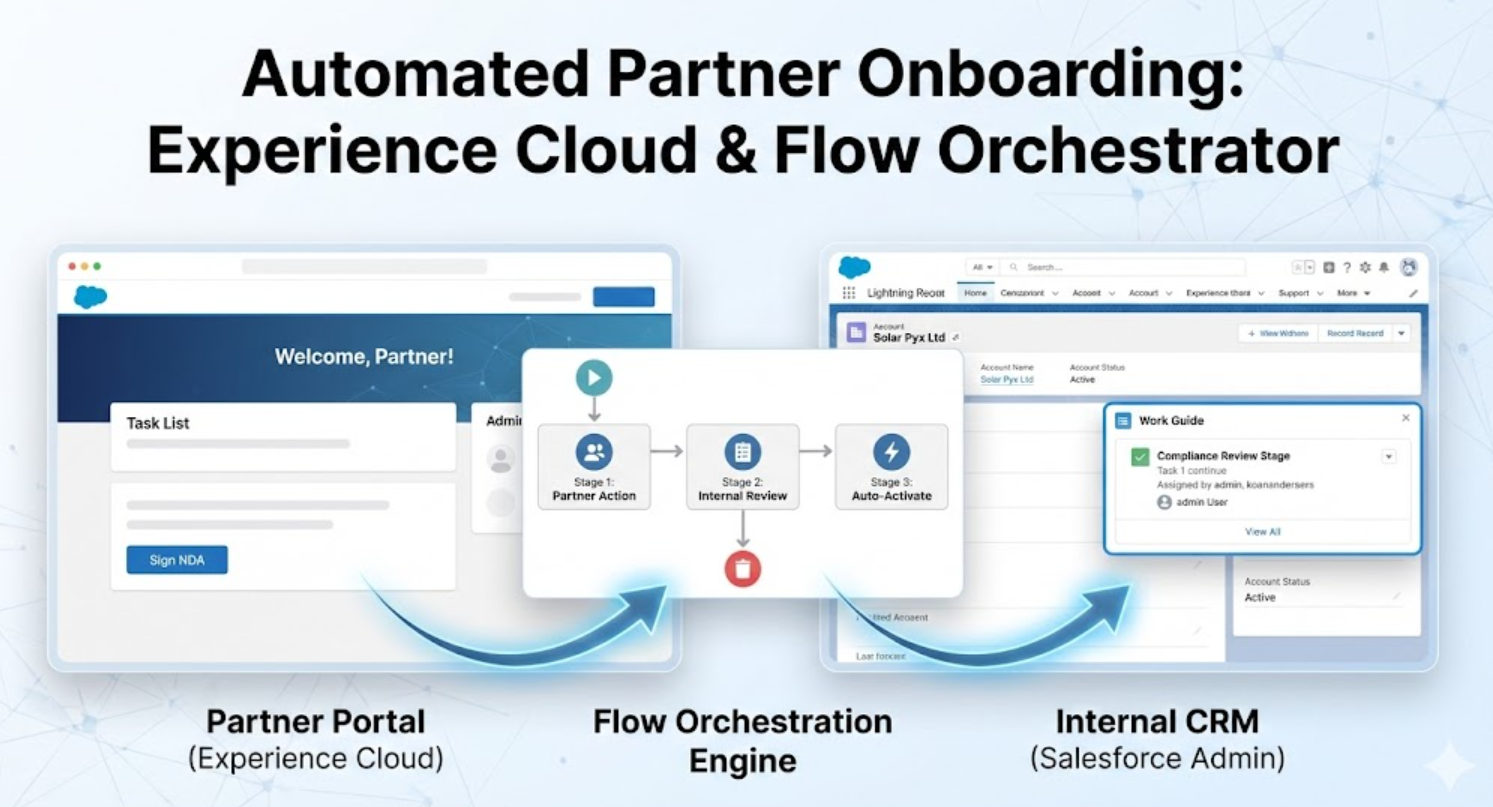
Solving the “Onboarding Black Hole”: I built a Stage-Based Orchestration System that automates the entire partner lifecycle. It seamlessly routes work items between an external Experience Cloud Portal (for partners) and the Internal CRM (for security teams), ensuring zero data loss and 100% process visibility.
🎥 Watch the Video Demo
🚫 1. The Business Problem
Companies often struggle with manual email handoffs between external partners and internal compliance teams. Applications stall, data is lost in inboxes, and partners have no visibility into their status.
The Solution: I utilized a “Parent-Child” Orchestration Architecture where one Master Orchestration manages two distinct Sub-Flows, crossing the boundary between external and internal users securely.
🏗️ 2. Technical Architecture
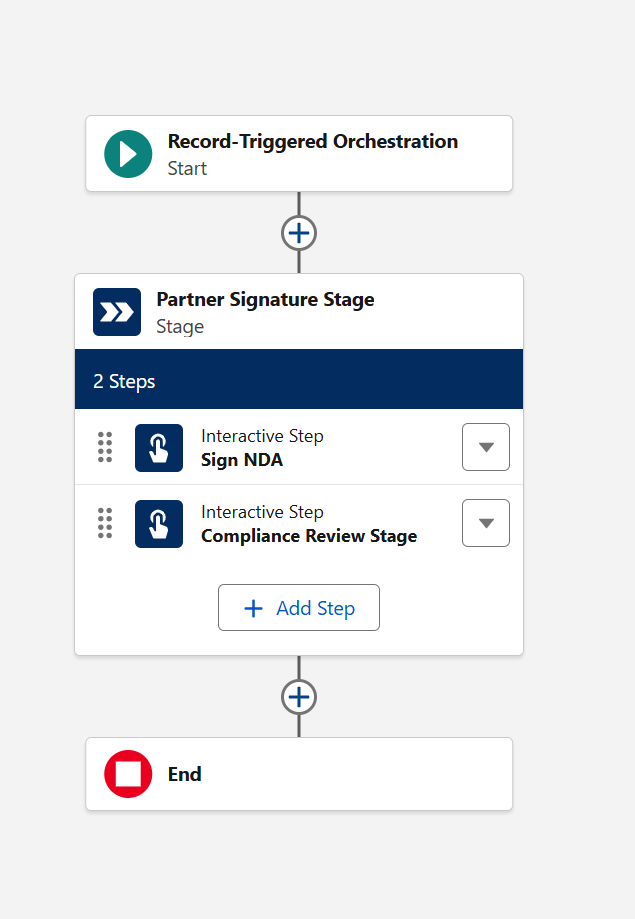
Flow 1: The Master Orchestrator (The Brain)
- Type: Record-Triggered Orchestration Flow.
- Logic: Acts as the state machine. It instantiates the “NDA Screen Flow” for the partner, waits for completion, and then automatically assigns the “Compliance Review” to the internal security team.
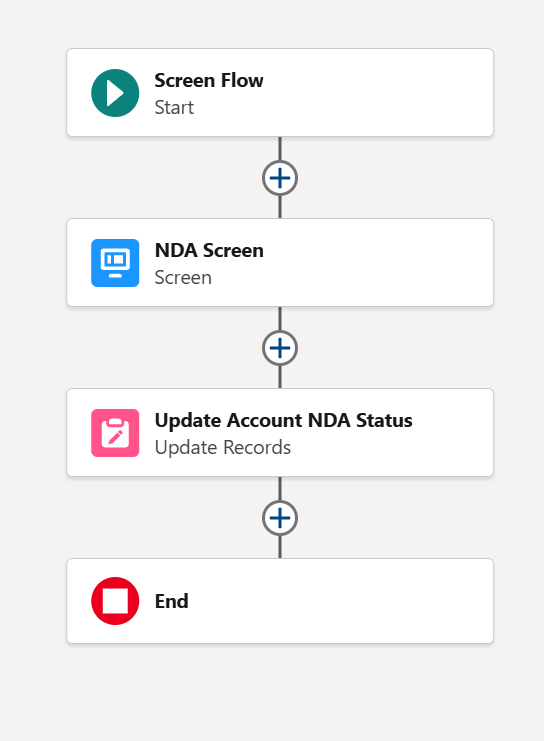
Flow 2: Partner NDA (The Experience)
- Type: Screen Flow (Embedded in Experience Cloud).
- Function: Captures the digital signature. It updates the Account record to set
NDA_Signed__c = TRUEand stamps the timestamp.
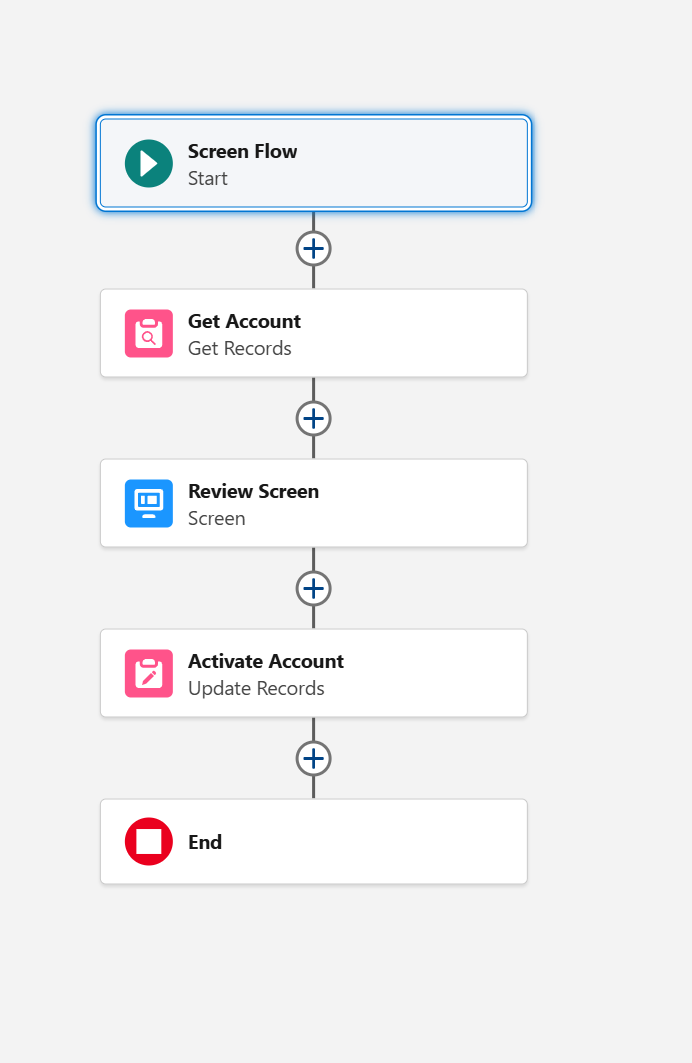
Flow 3: Compliance Review (The Gatekeeper)
- Type: Screen Flow (Internal Console).
- Function: Guides the internal employee to approve or reject the partner based on the data collected in Stage 1.
🌐 3. Experience Cloud & Security
The Challenge: The Account object is typically Private, meaning partners cannot see their own records to sign the NDA. The Fix:
- Sharing Sets: Created a “Partner Account Access” Sharing Set to grant Read/Write access strictly to the
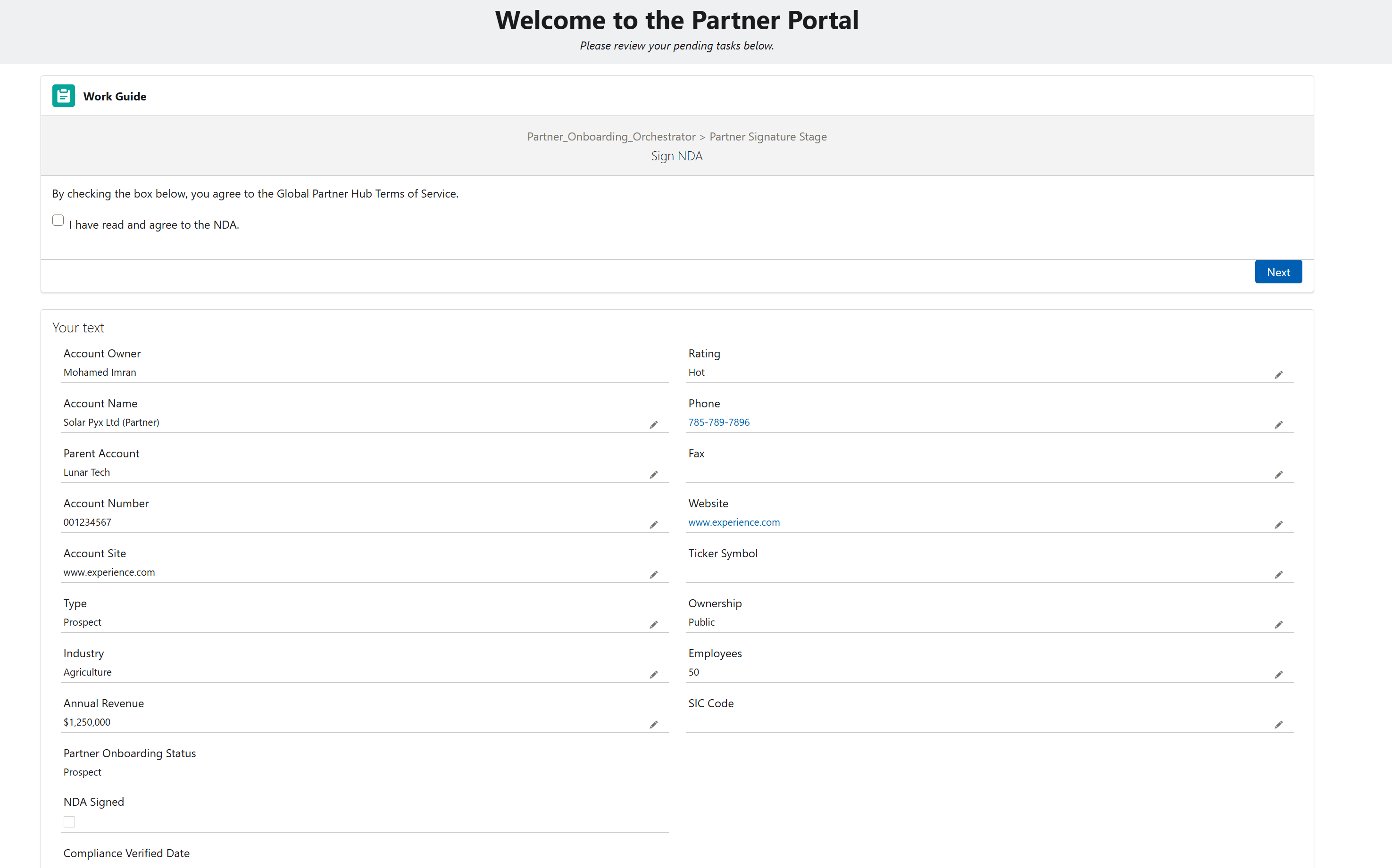
User.Contact.Account. - Orchestrator Work Guide: Embedded this component on the Portal Home Page. It dynamically displays the “Sign NDA” flow only when the Orchestrator assigns the work item.
📸 Implementation Gallery
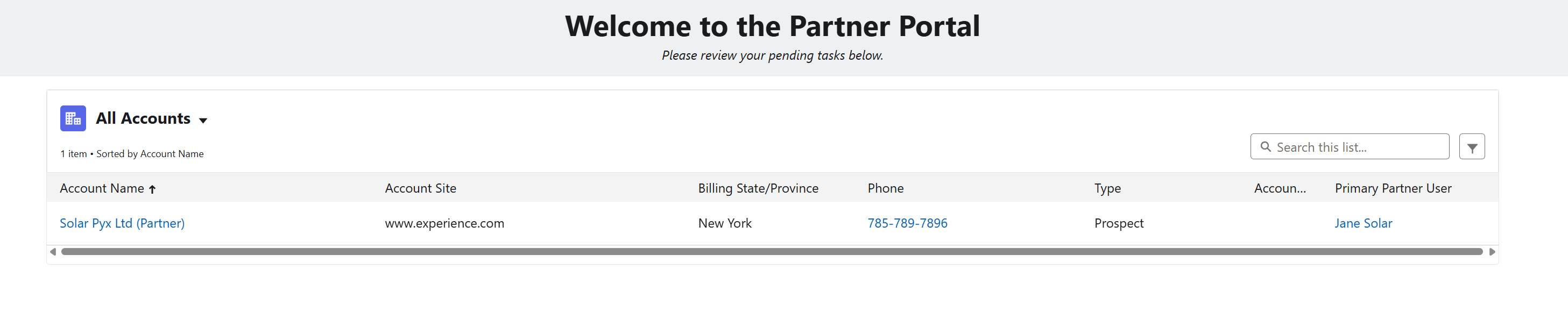
The Partner Portal view showing the secure record list and the dynamic Work Guide.